For years, a publishing tool could reach Instagram only through a Facebook Page: the Instagram account had to be linked to a Page, and the tool connected the Page. Many creators and small businesses never set up a Page, or deleted the one they had, and got stuck at that step. Instagram now offers its own login for publishing tools, and Posty5's Social Media Publisher supports it, so a Business or Creator account can connect directly.
This guide covers which accounts can use the direct route, the steps in the Posty5 connect dialog, what you can publish once connected, and what to do with an account you connected through Facebook earlier. Connecting Instagram is available on every plan; some post types are not, and each one is marked below. For the whole publishing workflow, start with the Social Media Publisher guide.
Two ways to connect Instagram
Posty5 offers two routes, and both end in a connected account you can publish to. The older route goes through Facebook: you connect your Facebook Pages, and the Instagram accounts linked to those Pages are connected with them. The direct route uses Instagram Login: you sign in with Instagram itself, and no Facebook Page is involved at any point.
The route records how the account was authorized, not what it can publish. Once connected, the account card shows which route it used: "via Facebook" for an account linked through a Page, "via Instagram" for one connected directly. To see exactly what Posty5 is allowed to do with the account, read the Instagram integration page; for the other platforms, see how to connect your social accounts.
Which Instagram accounts can connect directly
The direct route is for professional accounts: an Instagram Business account or a Creator account. A personal account is refused with this message: "Instagram allows direct connection for Business and Creator accounts only. Switch your account type in Instagram settings, or connect through Facebook." In other words, Instagram lets a publishing tool connect this way only when the account itself is a professional one.
The account type is an Instagram setting, not a Posty5 one, so you change it in the Instagram app or on the web, in your account settings. Once the account is a Business or Creator account, come back to Posty5 and connect it again. If you would rather not switch, the Facebook route connects the Instagram accounts linked to your Facebook Pages.
Connect Instagram directly, step by step
- Sign in to Posty5, open Social Media Publisher, go to your accounts and start connecting a new account.
- Choose Instagram. That card is the direct route; the Facebook Pages card is the older route, which brings in the Instagram accounts linked to a Page.
- Instagram opens its own authorization screen. Sign in to the account you want to connect, if you are not already signed in, and approve the access Posty5 asks for.
- Back in Posty5, the connection is verified. If the account is a personal one, it is refused with the message quoted above; switch the account type in Instagram and try again.
- The connected account appears with its card, which says "via Instagram". Add it to a workspace if you group accounts by brand or client.
Connect your Instagram account
Open Social Media Publisher, choose Instagram and sign in with the Business or Creator account you publish from.
What you can publish once Instagram is connected
A directly connected account takes the same post types as any Instagram account in Posty5. Some of them are paid, and the plan is named with each one:
- Short video, published as a Reel: the same vertical clip you also send to TikTok and YouTube Shorts.
- Long video, up to Instagram's 15-minute limit for Reels, is available on the Pro plan or higher; a longer video cannot go to Instagram.
- Image posts, including carousels of 2 to 10 images that share one aspect ratio, are available on the Pro plan or higher; the carousel guide walks through one.
- Stories, one image or one short vertical video, are available on the Starter plan or higher; the stories guide covers them.
Choosing a later publish time instead of publishing now is available on the Pro plan or higher, and that includes stories. Text-only posts skip Instagram, because Instagram does not take them. See what each plan includes before you plan around a paid post type.
If you connected Instagram through Facebook before
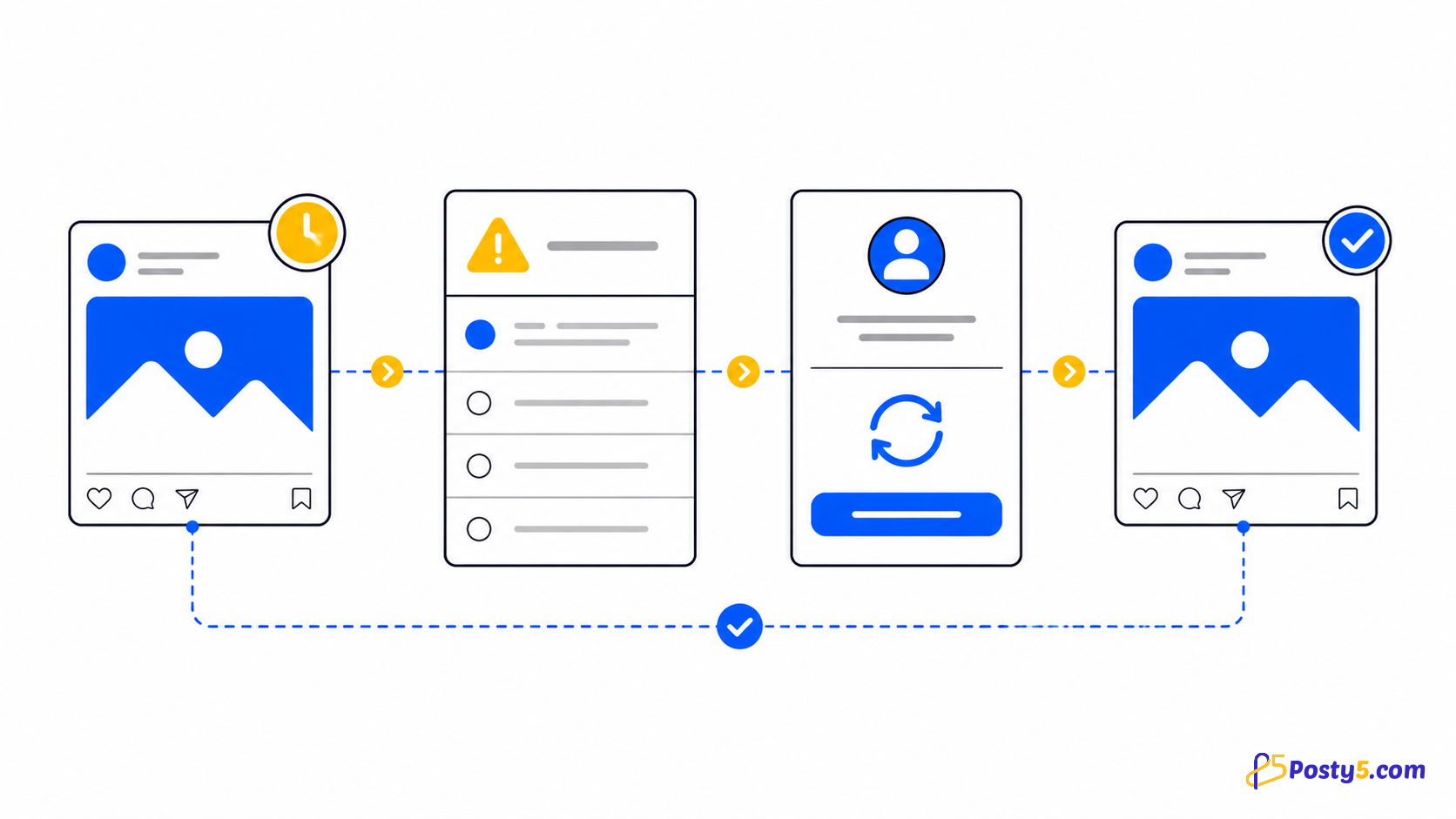
Nothing forces a change. The Facebook route still works, and an account connected that way keeps publishing as it did; its card says "via Facebook". The route only matters when the Facebook Page behind it disappears. Then the account's posts fail with this message: "Reconnect Instagram: the Facebook Page this account was connected through is gone." The Page was the account's connection, and without it there is nothing to publish through.
Reconnect the account. If it is a Business or Creator account, you can take the chance to connect it directly with Instagram Login, so it no longer depends on a Page; its card then says "via Instagram". The guide to posts that do not publish explains the other statuses a destination can show and when a retry helps.
Limits of the direct connection
Instagram caps how much a publishing tool can post to one account: 100 posts in 24 hours. The limit is Instagram's, and it applies however the account is connected. When an account has reached it, the Instagram destination fails with a message about Instagram's 24-hour publishing limit, while the post's other destinations carry on; retry the Instagram part once the 24-hour window has moved on.
The connection is for publishing. Posty5 does not handle Instagram direct messages and does not show Instagram insights: engagement numbers in Posty5 exist for Threads and X posts only. And, as described above, personal accounts cannot connect directly.
Frequently asked questions
Do I need a Facebook Page to connect Instagram to Posty5?
No. A Business or Creator account connects directly with Instagram Login, with no Facebook Page. The older route through a Facebook Page still works if you prefer it.
Can a personal Instagram account connect?
Not directly. Posty5 refuses it with "Instagram allows direct connection for Business and Creator accounts only. Switch your account type in Instagram settings, or connect through Facebook." Switch the account to Business or Creator in Instagram's settings, then connect again.
What does "via Instagram" mean on my account card?
The account was connected directly with Instagram Login. "via Facebook" means it was connected through a Facebook Page.
Can I keep the Instagram account I connected through Facebook?
Yes. The Facebook route still works. If the Page behind it is gone, posts fail with "Reconnect Instagram: …"; reconnect the account, directly with Instagram Login if you like.
Why did my Instagram post fail because of a 24-hour limit?
Instagram allows 100 published posts per account in 24 hours. Once an account reaches that, further Instagram posts fail until the window moves on; retry them later. The other platforms in the same post are not affected.
Which plan do I need to connect Instagram?
Connecting Instagram is available on every plan. Image posts and carousels, long video and scheduling need the Pro plan or higher, and stories need the Starter plan or higher.