
Plan, Review, and Publish Video — Short or Full-Length
Publish creator-owned video up to 60 minutes to YouTube, TikTok, Facebook and Instagram from one workspace — long-form where the platform allows it, per-platform settings, and the credit cost quoted before you upload.
21.5K
Number of Visits
Key Features
Tools for preparing creator-owned videos with platform-specific settings and TikTok review controls.
 TikTok Direct Post
TikTok publishing in Posty5 is always creator-controlled. The connected TikTok account owner reviews the video, confirms the connected TikTok nickname, edits the caption, manually selects privacy and interaction settings, completes disclosure options when needed, and explicitly confirms publishing before any content is sent to TikTok.
 Original or authorized content
Users must only publish videos they created or have the rights to publish. Posty5 does not use TikTok Direct Post to copy arbitrary third-party videos from other platforms.
 Connected account ownership
Users may connect multiple accounts they own or are authorized to use. Each TikTok account must be connected through TikTok OAuth, and publishing requires manual confirmation from the connected account owner.
 Platform-Specific Publishing
Prepare posts for YouTube, Facebook, Instagram, and TikTok from one workspace, with manual confirmation before TikTok publishing.
 Long-form video, up to 60 minutes
Not everything worth publishing is 30 seconds long. Publish full recordings, episodes and sessions — up to an hour — to your connected accounts from the same place you post short clips.
Long video is priced by length rather than per post, so a short upload costs less than a long one. Posty5 measures your file and shows the exact cost before the post is created. Available on the Pro plan and above.
Platforms set their own limits on video length, and not every account accepts a full hour — Instagram publishes long video as a Reel and stops at 15 minutes, while YouTube and Facebook take far more. Posty5 measures your video and flags any platform that will refuse it before the post is created.
 AI-Powered Content Generation
Generate platform-specific caption and hashtag suggestions that users can review and edit before publishing.
 Workspace Management
Connect multiple accounts you own or are authorized to use, including TikTok accounts through TikTok OAuth.
Flexible Video SourcesUpload videos you created or have the rights to publish, then customize each platform's settings before posting.
Unlimited Account LinkingConnect social accounts through OAuth and keep publishing actions under the connected account owner's control.
 Review-Based Publishing
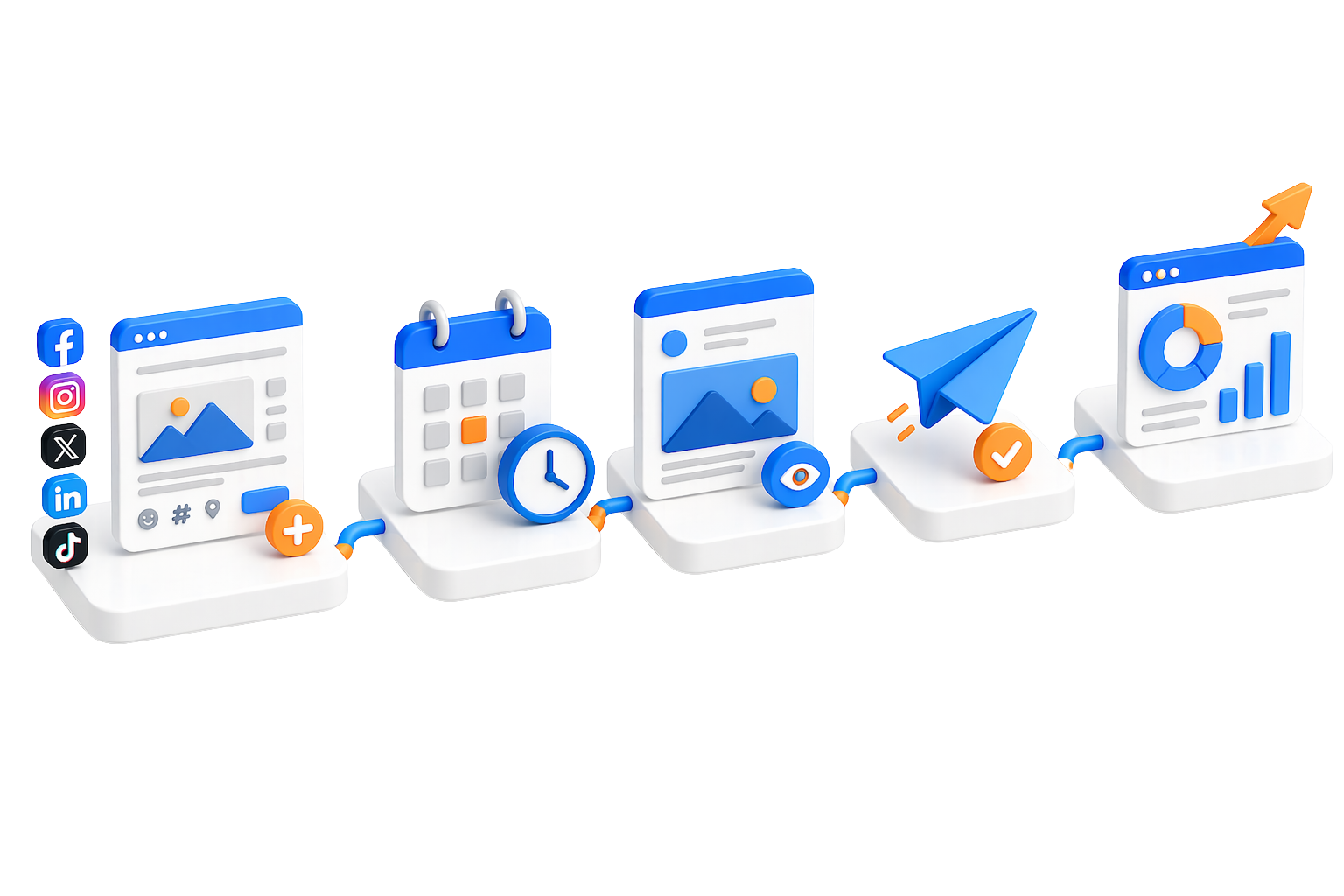
Upload your video, customize each platform's settings, review the post, then choose where to publish.
 Real-Time Status Tracking
Monitor posting progress and success for each platform
Optional post-publish commentOptionally add a comment after a video goes live on Facebook, Instagram, and YouTube. TikTok comments are not supported.
TikTok comments are not supported
Image post review and publishingPrepare still-image posts for supported platforms and review each platform's requirements before publishing.
YouTube community posts are not supported by the YouTube Data API
Platform Feature Comparison
Compare supported preparation and review features by platform.
 YouTube YouTube |  Facebook Facebook |  Instagram Instagram |  TikTok TikTok | |
|---|---|---|---|---|
| Video Upload | ||||
| Multiple Accounts | ||||
| File Upload | ||||
| Custom Thumbnails | Limited | |||
| Workspace Management | ||||
| Post Tracking |
How It Works
Get started in 7 simple steps
Connect Your ProfilesConnect your social media accounts securely via OAuth authentication
Create a WorkspaceGroup connected accounts you own or are authorized to use for easier review and publishing.
Upload an Authorized VideoUpload original or authorized video files from your device or storage.
Configure SettingsManually review privacy, visibility, interaction, and disclosure settings for each platform.
Monitor ProgressTrack the status of each selected platform after submitting the reviewed post.
Best Practices
Optimize your content for maximum engagement
Video OptimizationUse MP4 format with H.264 encoding
9:16 vertical aspect ratio (1080x1920)
Check each platform’s current video limits before submitting.
 Content Strategy
Tailor captions to each platform's audience
Use only content you created or have the rights to publish.
Review TikTok captions, disclosure options, and privacy settings before submitting.
 Engagement Tips
Monitor platform-specific analytics
Check comments and platform notifications separately for each connected account.
Test different posting times for your audience
Why Choose Us
The benefits that set us apart
 Time Saving
Save time by preparing platform-specific posts in one workspace while keeping manual review and confirmation for TikTok.
AI EnhancedGenerate content suggestions for each platform, then review and edit them before publishing.
 Team Collaboration
Connect multiple accounts you own or are authorized to use.
 Reliable & Secure
Industry-standard OAuth security with clear account connection and review controls.
Analytics ReadyTrack posting history and platform-specific performance
 Dedicated Support
Expert assistance for setup, troubleshooting, and optimization
Complete Social Media Publisher Guide
Learn how to connect OAuth accounts, prepare original or authorized videos, review platform settings, and safely confirm TikTok publishing.
View Complete GuidePlatform Integrations
Learn how Posty5 connects with each platform, what data it accesses, and why. Each integration is optional and connected only when you choose to use it.
Ready to Review and Publish Your Creator-Owned Videos?
Start preparing platform-specific posts with clear review before publishing.
Start Preparing Posts