
WhatsApp Message Link Generator Tool
Create customizable WhatsApp click-to-chat links with pre-filled messages in seconds. Capture more business leads and chat with customers without saving their phone numbers.
21.5K
Number of Visits
How It Works
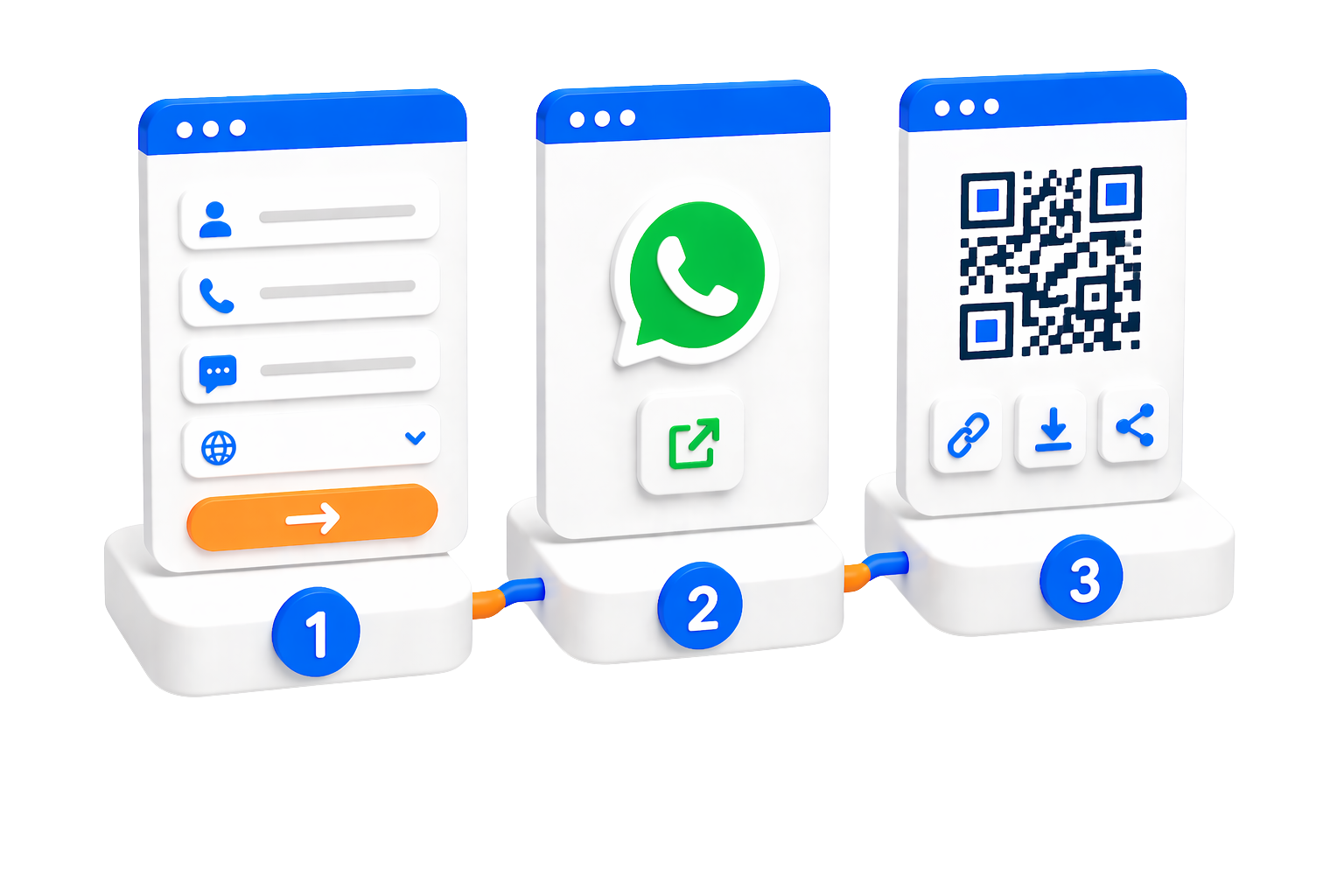
Create WhatsApp click-to-chat links in three simple steps
 Enter Phone Number & Message
Input the recipient's phone number with country code and compose your pre-filled message. The tool automatically detects your country code.
 Generate Link or QR Code
Create a click-to-chat link or a customizable QR code using templates. You can also shorten the link for easier sharing.
 Share & Start Chatting
Share your link or QR code anywhere. When clicked or scanned, it opens WhatsApp with your pre-filled message ready to send.
Key Features
Powerful tools to streamline your WhatsApp communication and marketing.
 Click-to-Chat Links
Generate direct WhatsApp links that open a chat with your specified phone number when clicked, eliminating the need to save contacts.
 Pre-Filled Messages
Customize your message in advance. When users click your link, WhatsApp opens with your message already typed and ready to send.
QR Code GenerationCreate scannable QR codes for your WhatsApp links with customizable templates, colors, and design options for print and digital use.
URL Shortening IntegrationShorten your WhatsApp links with our integrated URL shortener for cleaner, more professional sharing across all platforms.
 Mobile & Web Support
Links work seamlessly on both mobile devices (opening WhatsApp app) and desktop browsers (opening WhatsApp Web).
 Customizable QR Templates
Choose from various QR code templates and customize colors, patterns, and styling to match your brand identity.
 Free & Unlimited
Generate unlimited WhatsApp links and QR codes completely free with no restrictions or hidden fees.
Use Cases
Perfect for all your professional and personal communication needs
 Business Customer Support
Add click-to-chat buttons to your website for instant support. Customers can reach you on WhatsApp without saving your number.
 Marketing Campaigns
Include pre-filled messages in your marketing materials to drive engagement. Perfect for promotions, offers, and lead generation.
 Event Invitations
Create QR codes for event invitations and RSVPs. Guests can scan and instantly confirm attendance via WhatsApp.
 Personal Networking
Share your WhatsApp contact easily at networking events, conferences, or on business cards with QR codes.
 E-commerce Inquiries
Add product-specific WhatsApp links to your online store. Customers can inquire about products directly with pre-filled product details.
 Social Media Promotion
Share WhatsApp links in your social media bio or posts to drive direct conversations with your audience.
Security & Privacy
Your data is secure with our privacy-first approach to link generation.
 No Data Storage
We don't store your phone numbers or messages. All data is processed in real-time and never saved to our servers.
 Client-Side Processing
Links are generated directly in your browser. Your information never leaves your device during the link creation process.
 Secure WhatsApp Protocol
Links use WhatsApp's official API protocol, ensuring secure and reliable communication through WhatsApp's end-to-end encryption.
 Privacy-First Approach
Your privacy is our priority. Use the tool with confidence knowing your contact information remains completely private.
Limits & Best Practices
Understanding requirements and best practices for optimal results
 Valid Phone Numbers Required
Phone numbers must include the country code and be in international format (e.g., +1234567890) for links to work correctly.
 WhatsApp Account Needed
The recipient phone number must have an active WhatsApp account for the link to open a chat successfully.
 Best Practices
✓ Keep messages concise and professional
✓ Test your links before sharing widely
✓ Use URL shortening for cleaner, more professional links
Link Sharing GuidelinesShare links responsibly. Avoid spam and respect WhatsApp's terms of service to maintain good communication practices.
Quick Start Guide
Get started with WhatsApp Message Link Generator in just a few simple steps
Open the Tool
Click the button below to access the WhatsApp Message Link Generator tool and start creating your links.
Enter Details and Generate
Enter the phone number with country code and your custom message. Click 'Start Chat' to test or 'Create Short Link' to generate a shareable URL.
Share Your Link or QR Code
Share your generated link or download the QR code. Customize the QR code design with templates and colors if needed.