
Crop Photo Tool
Crop, resize, and rotate your photos online with precise aspect ratios and live previews. High-speed, secure, browser-based editor with no software install required.
21.5K
Number of Visits
How It Works
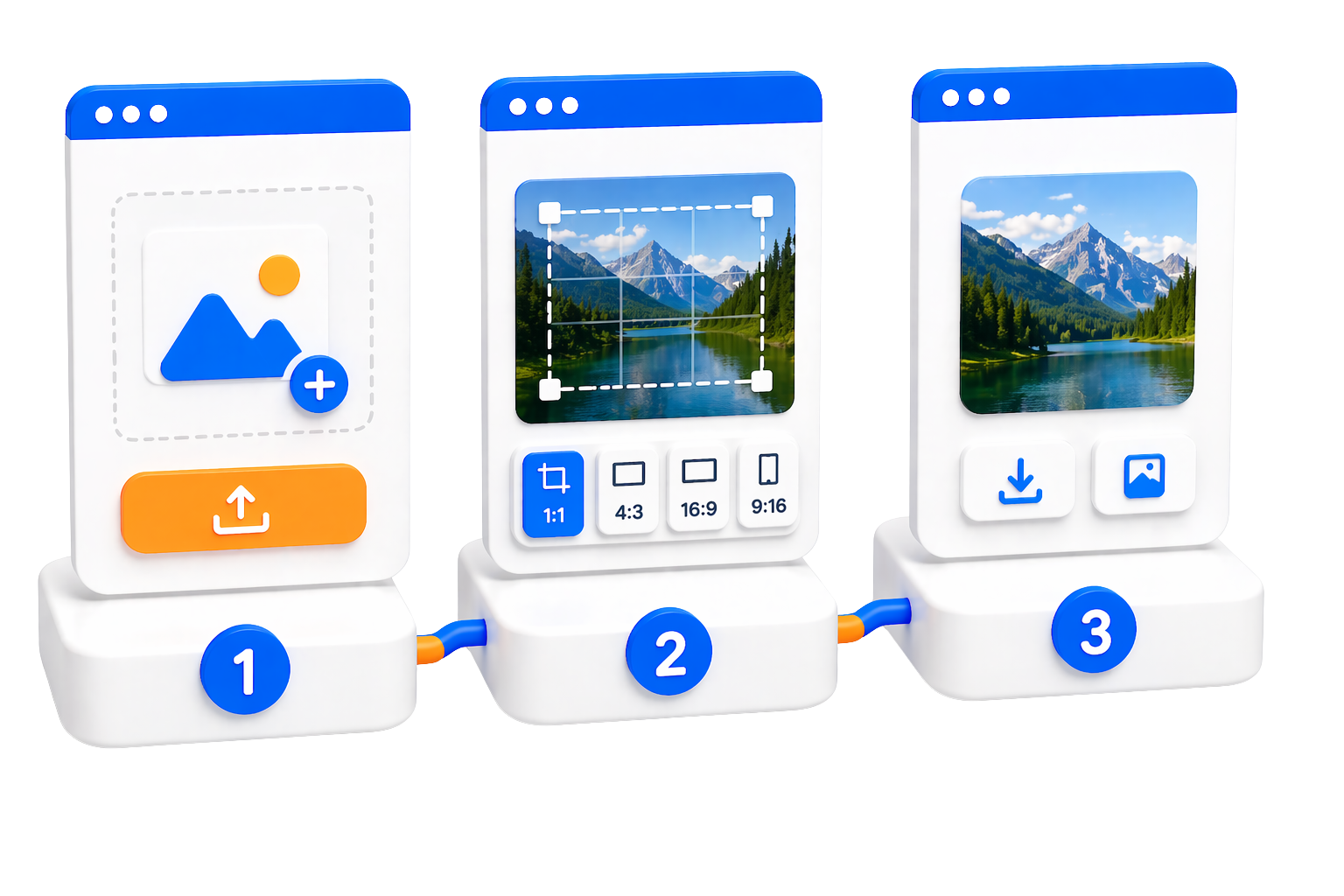
Crop and adjust your photos in three simple steps with our browser-based tool
 Upload Your Image
Select an image from your device. All processing happens in your browser—no upload to our servers required.
 Crop & Adjust
Use our intuitive tools to crop, zoom, rotate, and flip your image. Choose from preset aspect ratios or crop freely with live preview.
 Export Your Result
Get your cropped image as HTML code, CSS code, or Base64 format for easy integration into your projects.
Key Features
Professional image cropping tools with powerful features for perfect results
 Drag Modes (Move & Crop)
Switch between move mode to reposition your image and crop mode to select the area you want to keep.
 Zoom Controls
Zoom in and out with precise control to get the perfect framing for your image.
 Rotate (Left & Right)
Rotate your image left or right in 45-degree increments to achieve the perfect orientation.
 Flip (Horizontal & Vertical)
Flip your image horizontally or vertically to create mirror effects or fix orientation.
 Aspect Ratio Presets
Choose from popular aspect ratios (16:9, 4:3, 1:1, 2:3) or use free size for complete flexibility in your crop.
 Live Preview
See your changes in real-time with our live preview feature, ensuring you get exactly the result you want.
 Multiple Export Formats
Export your cropped images as HTML, CSS, or Base64 format for seamless integration into your web projects.
 Free & Unlimited
Use our photo cropping tool completely free with no limits on the number of images you can process.
Use Cases
Perfect for various image editing needs across different platforms and purposes.
 Social Media Content
Crop images to fit perfectly on Facebook, Instagram, Twitter, and other social media platforms with preset aspect ratios.
 Profile Pictures
Create perfect square profile pictures for social media accounts, forums, and professional platforms using the 1:1 aspect ratio.
 Website Graphics
Prepare high-quality images for your website with precise cropping and export as Base64 for direct embedding in HTML or CSS.
 Product Photos
Optimize product images for e-commerce platforms by cropping to highlight key features and maintain consistent dimensions.
 Thumbnail Creation
Create eye-catching thumbnails for YouTube videos, blog posts, and articles with precise cropping and aspect ratio control.
Security & Privacy
Your images are processed securely in your browser with complete privacy protection
 Client-Side Processing
All image processing happens directly in your browser using JavaScript. Your images never leave your device.
 No Server Upload
Your images are not uploaded to our servers. Everything is processed locally in your browser for maximum security.
 No Data Storage
We don't store any of your images or cropping data. Once you close the tool, all data is cleared from your browser.
 Privacy-First Approach
Your privacy is our priority. Use the tool with confidence knowing your images remain completely private and secure.
Limits & Best Practices
Understanding the tool's capabilities and how to get the best results
Supported Image FormatsSupports all common image formats including JPG, PNG, GIF, and WebP. The tool works with any image your browser can display.
 Browser-Based Processing
Processing speed and image size limits depend on your browser and device capabilities. Modern browsers work best.
 Best Practices
✓ Use high-quality source images for best results
✓ Choose the appropriate aspect ratio for your intended use
✓ Use the live preview to ensure your crop looks perfect before exporting
Export OptionsExport as HTML code, CSS code, or Base64 format. Choose the format that best fits your project requirements.
Quick Start Guide
Get started with the Crop Photo tool in just a few simple steps.
Navigate to the Tool
Click the button below to access the Crop Photo tool and start editing your images.
Upload and Crop Your Image
Select an image from your device, then use the crop, zoom, rotate, and flip tools to adjust it. Choose an aspect ratio or crop freely.
Export in Your Preferred Format
Get your cropped image as HTML code, CSS code, or Base64 format. Copy the code and use it in your projects.